Organize the mega menu by room, not by product type
Article's Rooms mega menu groups furniture by where it goes, living room, bedroom, home office, instead of by product type, matching how a shopper actually thinks.
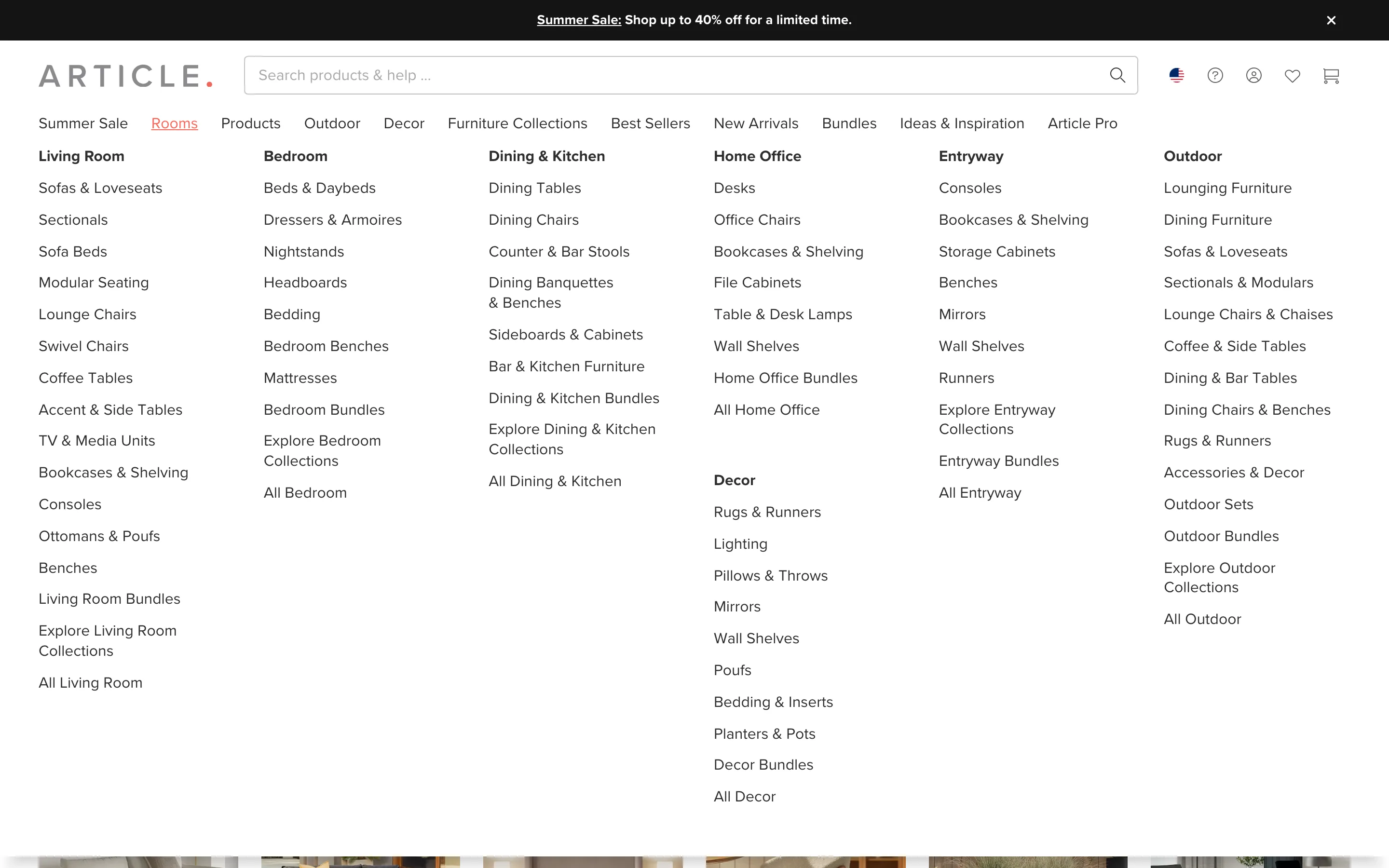
What it is
Hovering the "Rooms" item in the main nav opens a full-width mega menu organized into columns by room, Living Room, Bedroom, Dining & Kitchen, Home Office, Entryway, Outdoor, each listing the specific furniture types that belong in it, rather than a single flat list organized by product type.
Why it works
A shopper furnishing a room thinks in terms of the room, not the retailer's product taxonomy; someone who wants "something for my home office" does not necessarily start from knowing they need a desk, a file cabinet or a bookshelf, they start from the room. A menu organized by product type forces that shopper to translate their own goal into the store's categories before they can even click. Organizing the menu by room instead removes that translation step: the shopper finds their own starting point directly in the nav and only then discovers the specific product types inside it.
How to test it
- Hypothesis
- Organizing the mega menu by room instead of by product type will lift menu-to-category clickthrough rate, because shoppers can navigate from their own goal, furnishing a room, instead of first translating it into the store's product taxonomy.
- Primary metric
- Clickthrough rate on the room-organized mega menu
- Guardrail metric
- Clickthrough rate on the product-type-organized menu items, which could fall if shoppers who would normally browse by specific furniture type default to the room menu and see a narrower set of options
Related ideas
Want this tested on your store?
We run the experiment, call the result honestly, and get paid on what it adds.
See the performance program