Put rating, badge, price and color count on the same tile
Each mobile grid tile stacks a star rating, a merchandising badge, the price, and a color-overflow count directly under the photo, so a shopper can screen out non-fits without opening a single product.
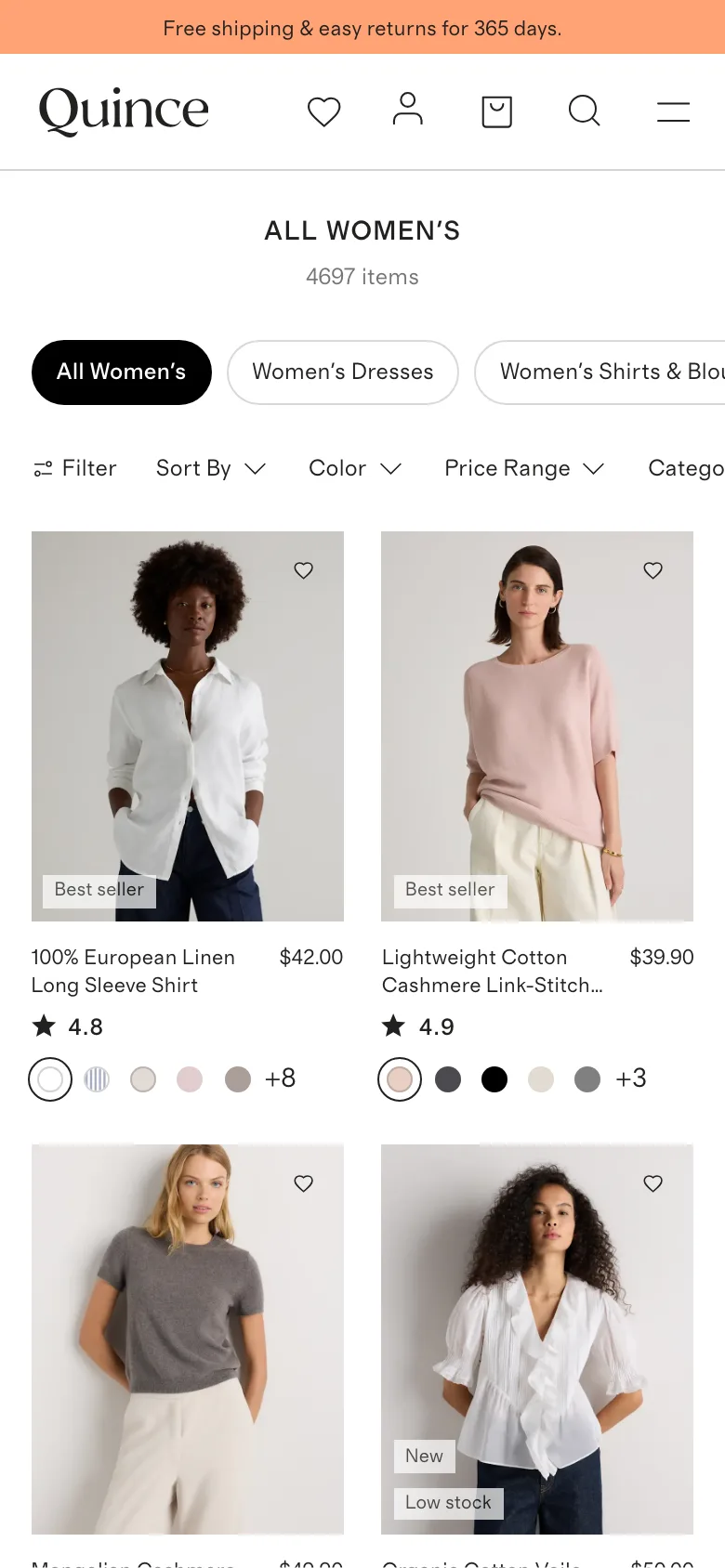
What it is
Below each product photo in the grid, the tile stacks several pieces of information in a fixed order: a merchandising badge in the corner of the photo, the product name, a star rating with review count, the price, and a swatch row capped with a "+N" count of remaining colors.
Why it works
A shopper scrolling a mobile grid is deciding, tile by tile, whether a product is worth a closer look, and every piece of information missing from the tile is a reason to open a product page just to check it. Putting rating, badge, price and color range on the tile itself lets a shopper screen out products that do not clear their bar without spending a tap and a page load on each one.
How to test it
- Hypothesis
- Adding rating, badge and color-count signals to the mobile grid tile will lift the add-to-cart rate per category session, because shoppers can screen out non-fits from the grid instead of spending a page load to rule out each one.
- Primary metric
- Add-to-cart rate per category-page session
- Guardrail metric
- Time to first add-to-cart, which could rise if a denser tile takes longer to visually parse than a plain photo-and-price tile
Related ideas
Want this tested on your store?
We run the experiment, call the result honestly, and get paid on what it adds.
See the performance program