Replace a dead-end 'no results' page with trending searches
A search that returns nothing states that plainly, then immediately lists trending search terms the shopper can try instead, so the shopper has somewhere to go instead of a blank page.
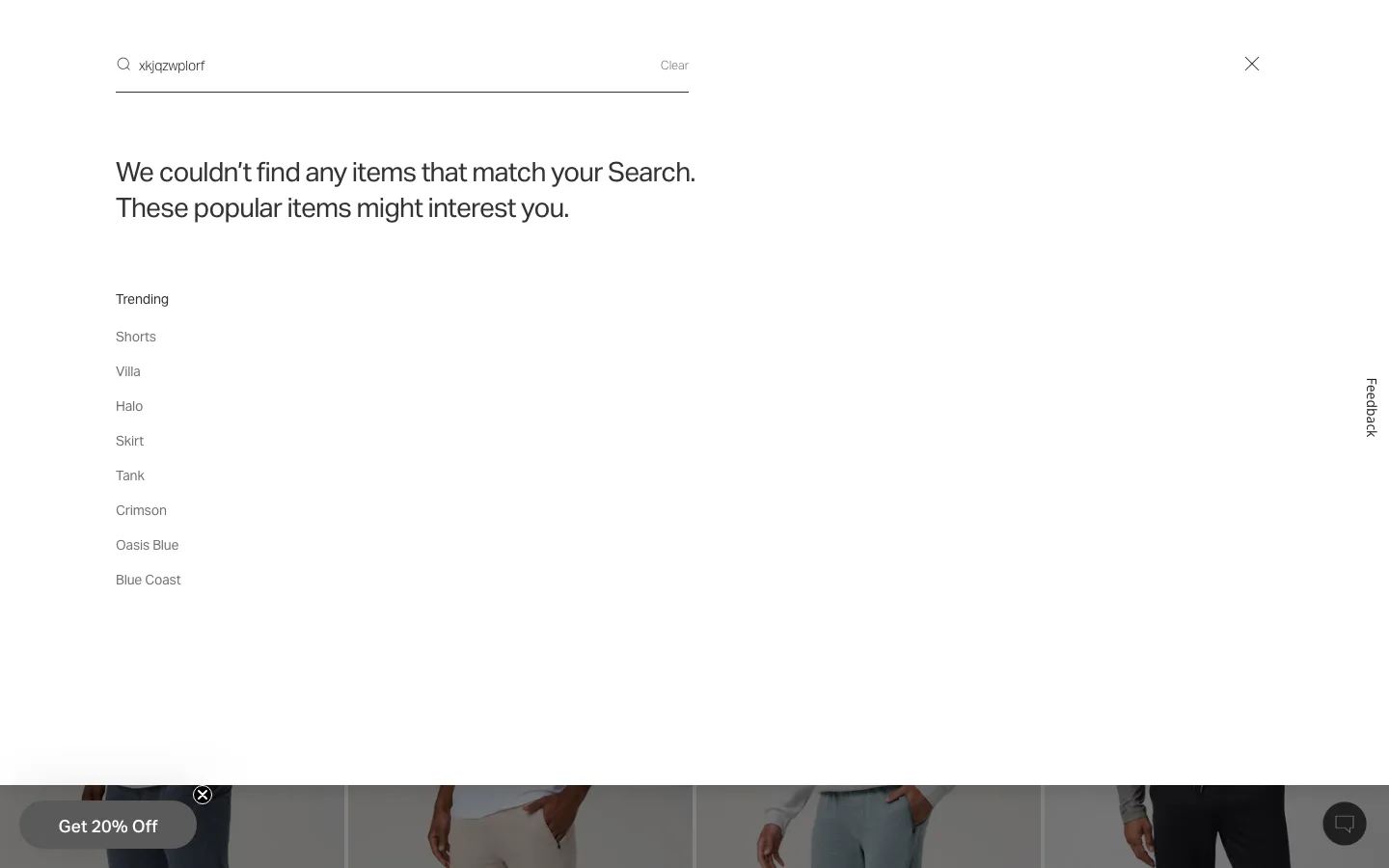
What it is
When a query matches no products, the search panel states plainly that nothing was found directly under the input, then immediately follows with a labeled "Trending" list of alternative search terms in the same panel, so the shopper has a next click without retyping anything.
Why it works
A shopper who searched for something the catalog does not carry, or misspelled a term badly enough that no fuzzy match caught it, has hit a dead end either way. A blank results page leaves them to figure out their next move alone, and the easiest next move from there is closing the tab. Immediately offering trending search terms gives that shopper a path forward inside the same search session instead of forcing them back to the homepage to start over and think of a new query themselves.
How to test it
- Hypothesis
- Showing trending search terms on a zero-result search will lift click-through rate on those trending terms, because shoppers get an immediate next click instead of a dead end they have to type their way out of.
- Primary metric
- Click-through rate on a trending search term (sessions that hit a zero-result search)
- Guardrail metric
- Search query refinement rate within the same session, which could fall if shoppers settle for a generic trending term instead of retyping a more precise query of their own
Related ideas
Want this tested on your store?
We run the experiment, call the result honestly, and get paid on what it adds.
See the performance program