Show matching products, not just text suggestions, while the shopper types
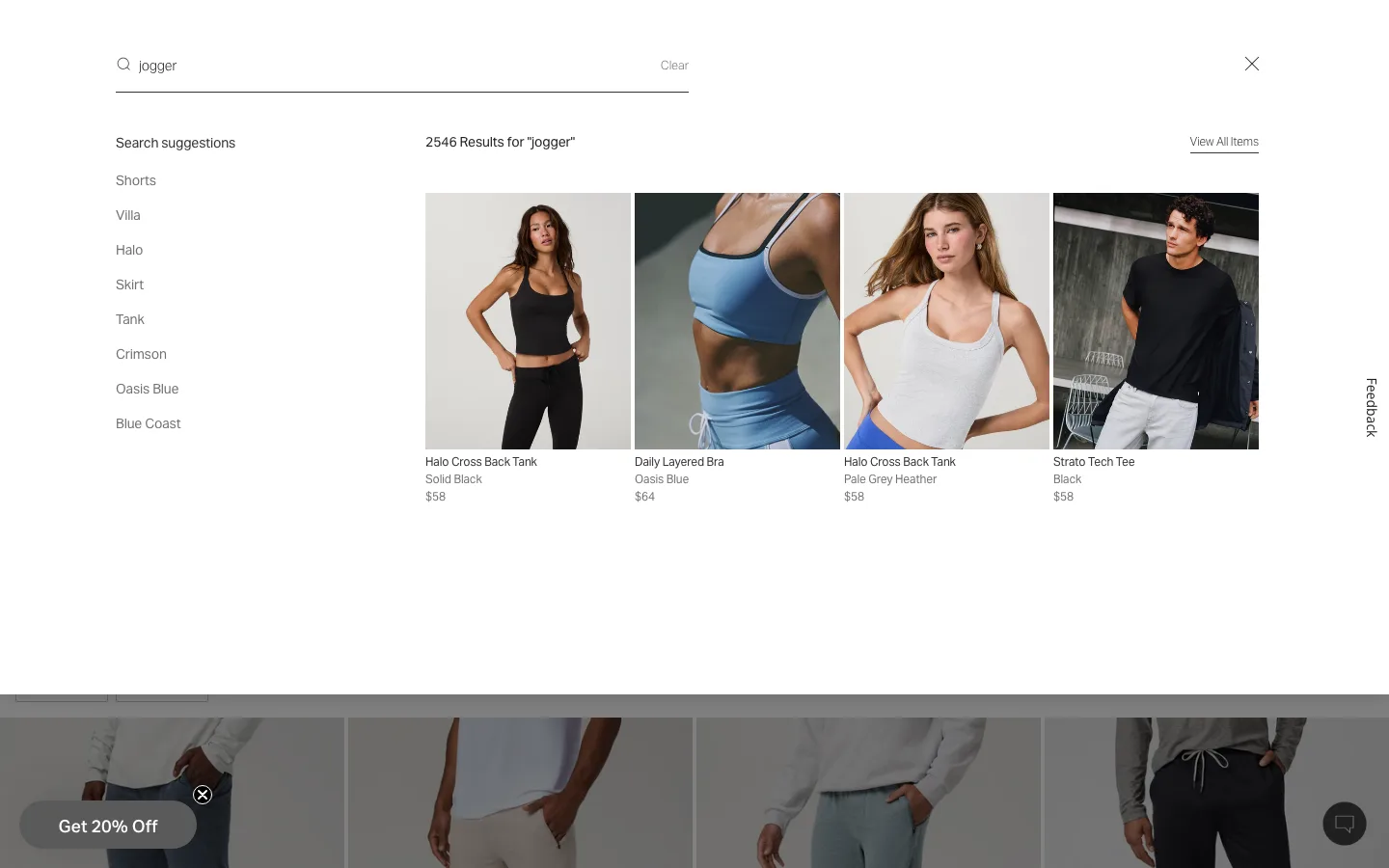
Typing a partial query surfaces product photos, names and prices in a live-updating panel before the shopper presses enter, alongside a short list of related search phrases.
What it is
As the shopper types into the search box, a panel opens showing text-based query suggestions on one side and actual matching products, photo, name and price, on the other, both updating on every keystroke, well before the shopper submits the search or reaches a results page.
Why it works
A plain search box is a bet: the shopper types a guess at what the catalog calls the thing they want, submits, and only then finds out whether they guessed right. Showing real products as they type turns that bet into instant feedback, letting the shopper stop typing the moment they see what they were after, and it removes the trip to a full results page entirely for a search that resolves easily.
How to test it
- Hypothesis
- Showing live product results in the search dropdown will lift search-to-purchase conversion, because shoppers can go straight from a partial query to the product they want without loading a full results page.
- Primary metric
- Search-to-purchase conversion rate
- Guardrail metric
- Average order value, which could fall if shoppers grab the first visually matching product from the dropdown instead of comparing options on a full results page
Related ideas
Want this tested on your store?
We run the experiment, call the result honestly, and get paid on what it adds.
See the performance program