Give the header announcement bar arrow controls for multiple promos
The top utility bar cycles through several distinct promotions with manual arrow controls, letting the shopper browse every current offer instead of seeing just one.
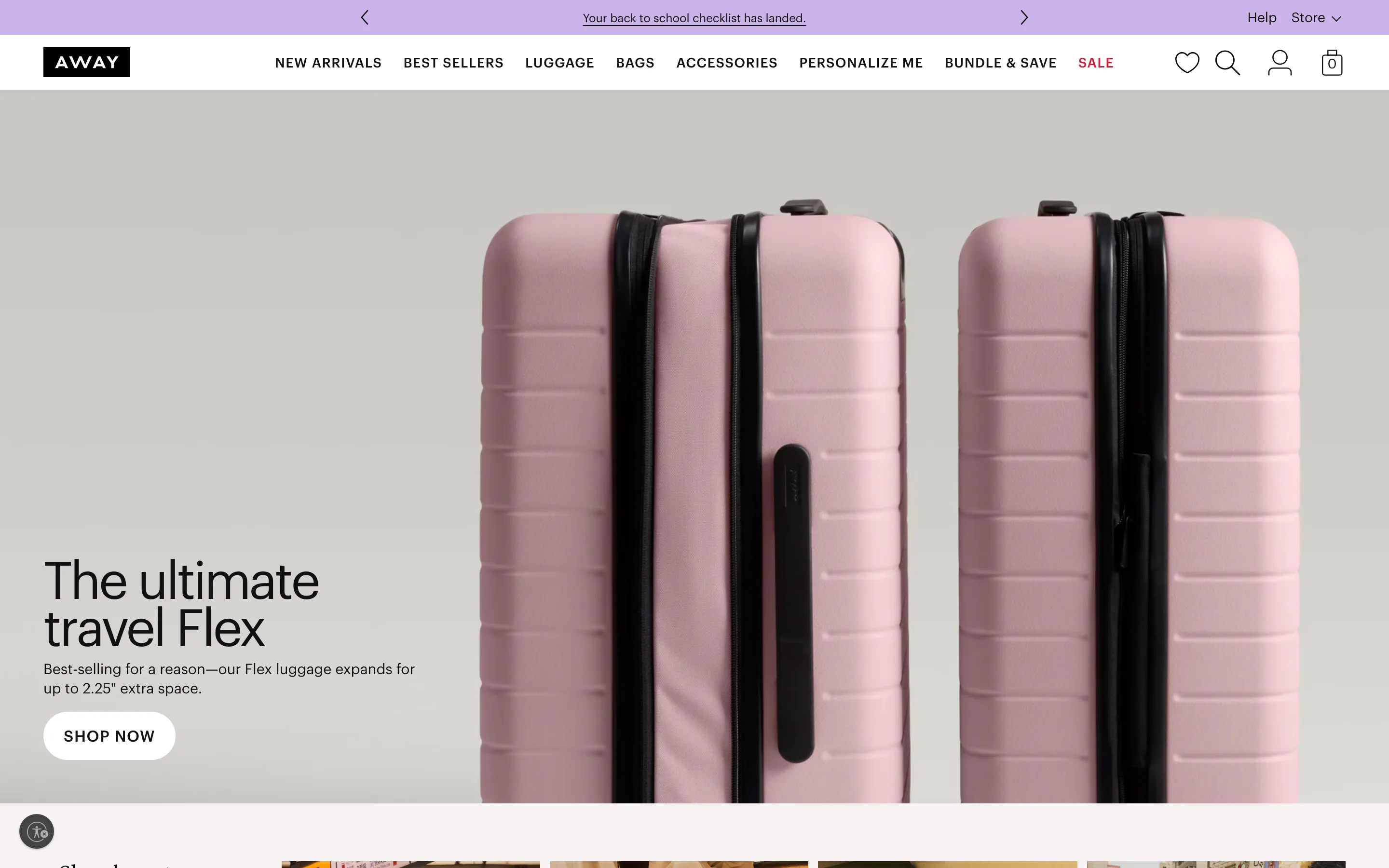
What it is
The top utility bar carries a promotional message alongside explicit left and right arrow controls, so the shopper can step through multiple current promotions one at a time instead of only ever seeing whichever single message the bar happened to load with.
Why it works
A fixed, single-message banner forces the merchandising team to pick one "most important" promo, and every other current offer goes unseen by a shopper who has no reason to know it exists. Giving the bar arrows turns it into a shopper-controlled index of everything currently running: a visitor who is not interested in the first message can advance to the next one in a click rather than the rest simply staying invisible for the length of their visit. Because advancing takes a deliberate click, the shopper who does browse through is actively signaling interest in a specific offer, not just glancing at whatever loaded first.
How to test it
- Hypothesis
- Adding manual arrow controls to a multi-message announcement bar will lift clickthrough rate on the bar, because shoppers can browse to the specific offer that is relevant to them instead of only ever seeing whichever single message the bar happened to load with.
- Primary metric
- Clickthrough rate on the announcement bar
- Guardrail metric
- Time to first scroll past the hero, which could rise if shoppers spend extra time cycling through announcement-bar messages before engaging with the rest of the page
Related ideas
Want this tested on your store?
We run the experiment, call the result honestly, and get paid on what it adds.
See the performance program