Give the search panel a 'Need Help' shortcut list before the shopper types anything
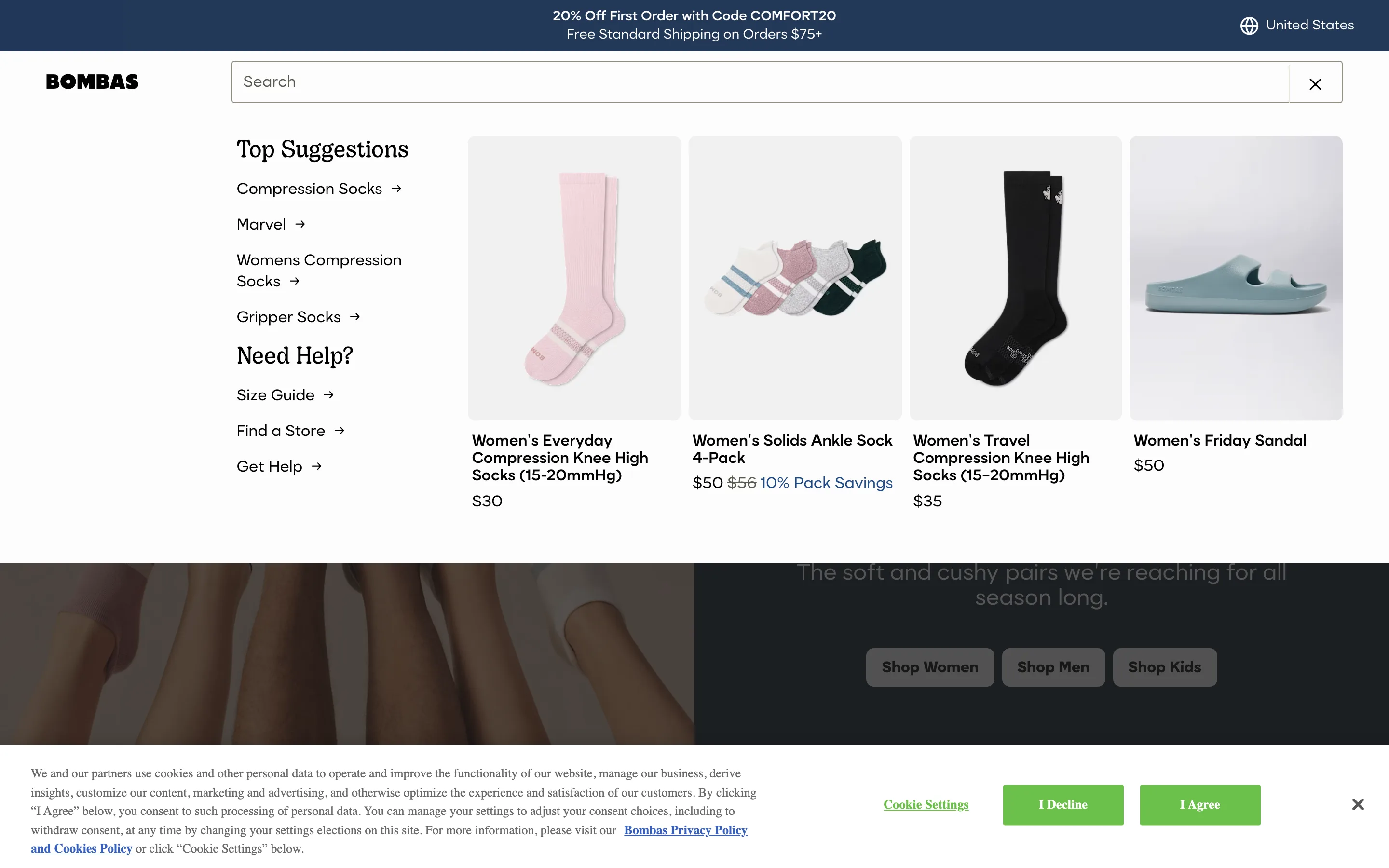
Opening the search box, before a single character is typed, shows popular search terms, bestselling product thumbnails, and a help block linking to the size guide, store finder and support.
What it is
The instant the search input opens, and before any query is entered, the panel already shows top suggestions of popular query terms, a row of bestselling product thumbnails, and a separate "Need Help?" list of links to the size guide, store locator and support, all visible with zero typing required.
Why it works
Not every shopper who opens the search box has a specific product in mind; some are looking for the size chart, a returns policy answer, or just don't know the right word for what they want yet. Treating the search box as a single-purpose product-lookup tool leaves that shopper stuck typing guesses. Surfacing help shortcuts and popular starting points before typing turns the same entry point into a general way to find what they need, not just a product search.
How to test it
- Hypothesis
- Showing popular searches and help shortcuts in the empty search panel will lift click-through rate from the search panel, because shoppers without a specific query in mind have a starting point instead of an empty box.
- Primary metric
- Click-through rate from the search panel (sessions that open search without typing a query)
- Guardrail metric
- Time to first keystroke after opening search, which could rise if the extra shortcuts distract a shopper who already knew exactly what to type
Related ideas
Want this tested on your store?
We run the experiment, call the result honestly, and get paid on what it adds.
See the performance program