Filter by how the product is used, not just size and color
Alongside standard Size and Color, the category sidebar adds use-case filters like Fit, Rise and Activity, letting a shopper narrow a large grid down by what they will actually do in the product.
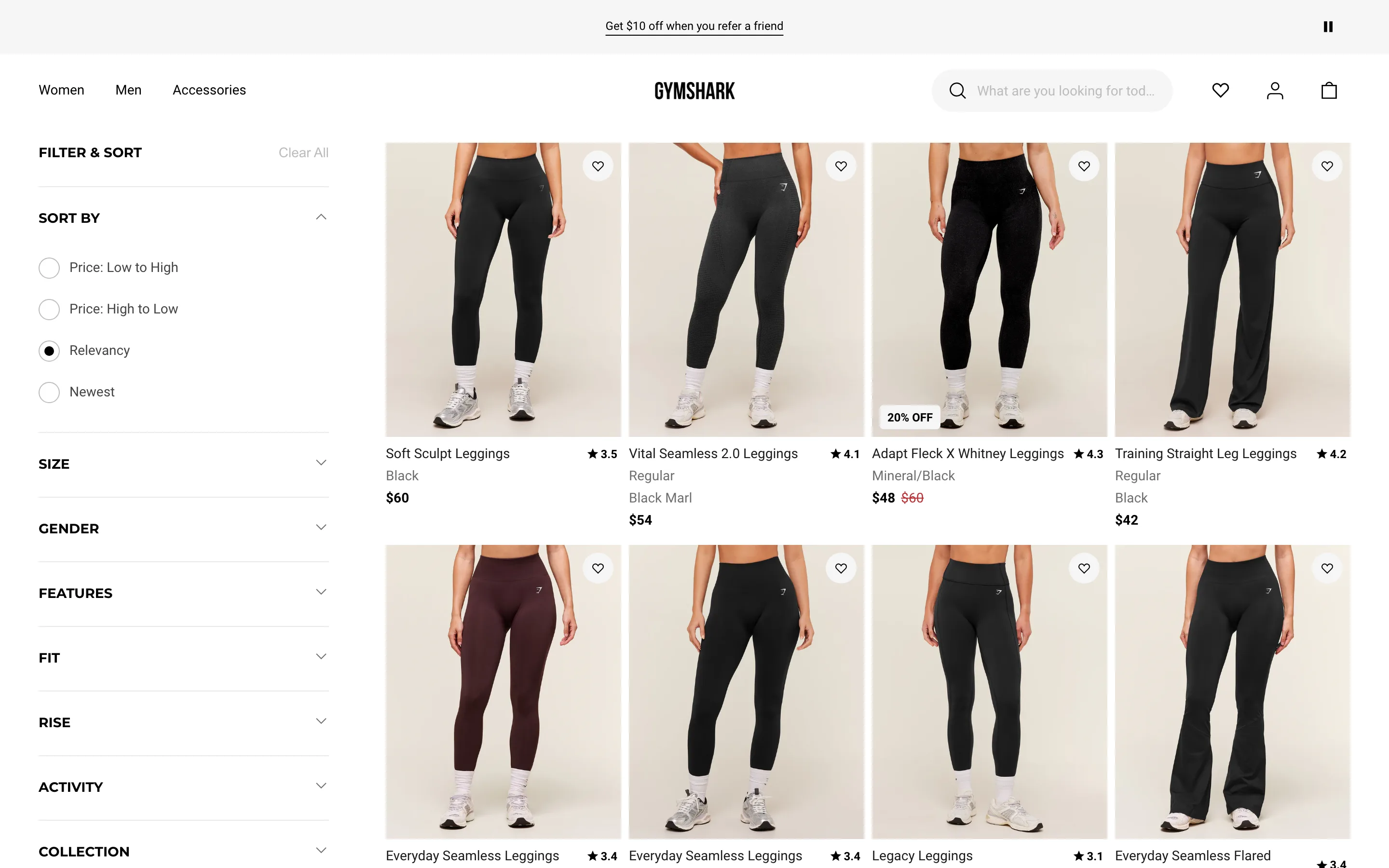
What it is
The category page filter sidebar goes beyond Size and Gender to include facets like Fit, Rise and Activity, each with its own set of specific values, letting a shopper filter for something like "high-waisted, for running" without opening a single product page.
Why it works
In a large grid, Size and Color rarely narrow things down enough to make browsing fast, because most of what differentiates one product from another isn't captured by either. A shopper who wants something for a specific activity or fit is otherwise stuck opening product after product to find that information manually. Filters built around how the product is actually used address the real decision criteria the shopper walked in with, not just the two attributes every category page filters by default.
How to test it
- Hypothesis
- Adding use-case facets to the category filter sidebar will lift add-to-cart rate on filtered sessions, because shoppers can narrow the grid by their real decision criteria instead of opening products one at a time to find that information.
- Primary metric
- Add-to-cart rate (sessions that apply at least one use-case filter)
- Guardrail metric
- Category page dwell time, which could fall if a longer filter list overwhelms shoppers who weren't looking to filter that specifically in the first place
Related ideas
Want this tested on your store?
We run the experiment, call the result honestly, and get paid on what it adds.
See the performance program