Split autocomplete into products and help-center answers, not just one list
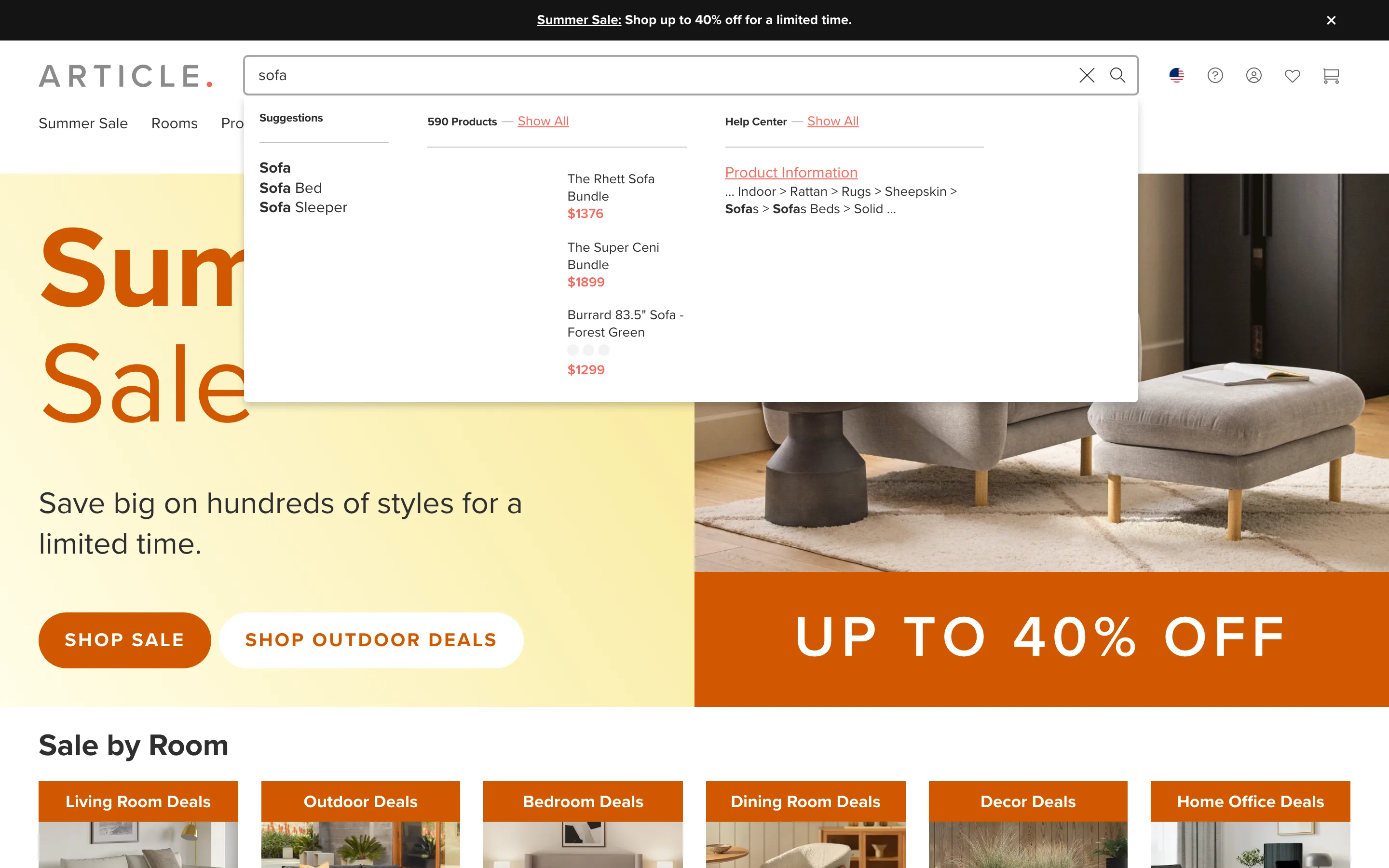
Typing a query returns separate labeled groups at once, query suggestions, a product list with a live count, and a help-center section, so an informational query does not just return products with no help path.
What it is
The autocomplete dropdown is split into clearly labeled columns: query text suggestions, a products column showing photos, names and prices with a live total count and a "Show All" link, and a help-center column showing the category breadcrumb of a relevant support article, all populated from the same single query.
Why it works
Not every search is a request to buy something right now; a shopper typing a product name might be trying to buy one, or might be trying to find out how to care for one, and a search box that only ever returns products serves the first shopper while leaving the second stuck restating their question in different words. Splitting results by type means the same keystrokes serve both intents at once, routing each shopper toward what they were actually trying to find.
How to test it
- Hypothesis
- Grouping autocomplete results into products and help-center content will lift search satisfaction, measured by a lower repeat-search rate within a session, because informational queries get routed to relevant support content instead of only product matches.
- Primary metric
- Repeat-search rate within a session (lower is better)
- Guardrail metric
- Click-through rate on product results, which could fall if the added help-center column pulls attention away from the products a transactional shopper actually wanted
Related ideas
Want this tested on your store?
We run the experiment, call the result honestly, and get paid on what it adds.
See the performance program