Nav & headerDesktopDiscoveryClarity
A mega menu with category columns and a featured panel
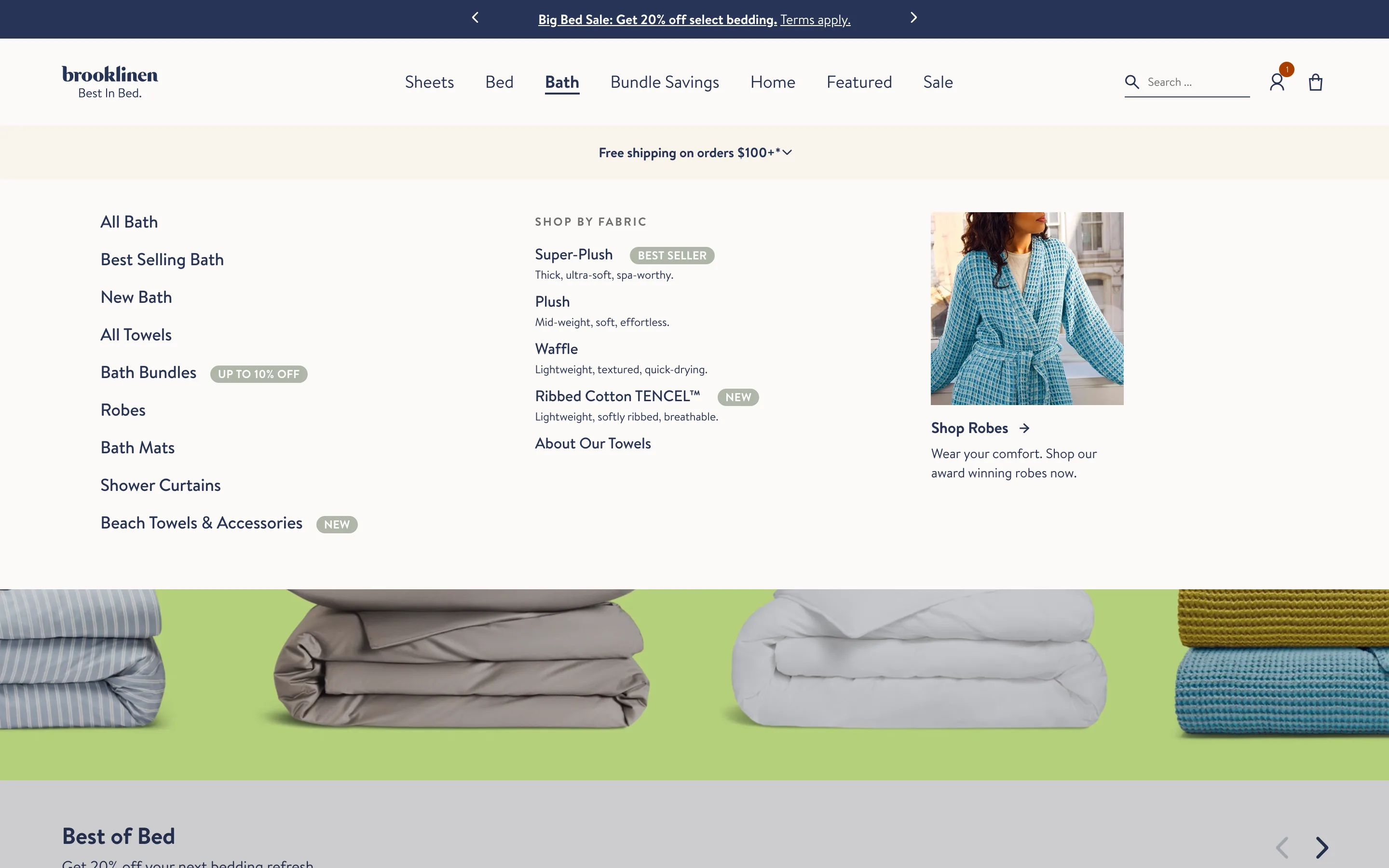
Hovering a nav item opens a full-width menu: a column of subcategories, a shop-by-attribute list, and a featured image tile promoting one collection.
What it is
Hovering a top nav item opens a full-width mega menu split into a column of subcategory links, a shop-by-attribute list (for example by fabric), and a featured image tile promoting one collection.
Why it works
It lets a shopper jump straight to the exact subcategory or attribute they want in one move, while the featured tile merchandises a collection the store wants to push, so the nav handles discovery and merchandising at once.
How to test it
- Hypothesis
- Replacing a plain dropdown with a category-column mega menu will lift click-through to category and product pages by helping shoppers find the right subcategory faster.
- Primary metric
- Click-through to category/product pages from the nav
- Guardrail metric
- Nav interaction time, to confirm the richer menu does not slow the shopper down
Related ideas
Want this tested on your store?
We run the experiment, call the result honestly, and get paid on what it adds.
See the performance program